Every customer conversation, one inbox.

WhatsApp, Instagram, Facebook, website chat, email, SMS and calls land in one place. A CRM, booking, forms, campaigns and an AI assistant sit around it, so leads get answered, qualified and followed up without the tab-switching.

No per-seat fees · Set up in an afternoon

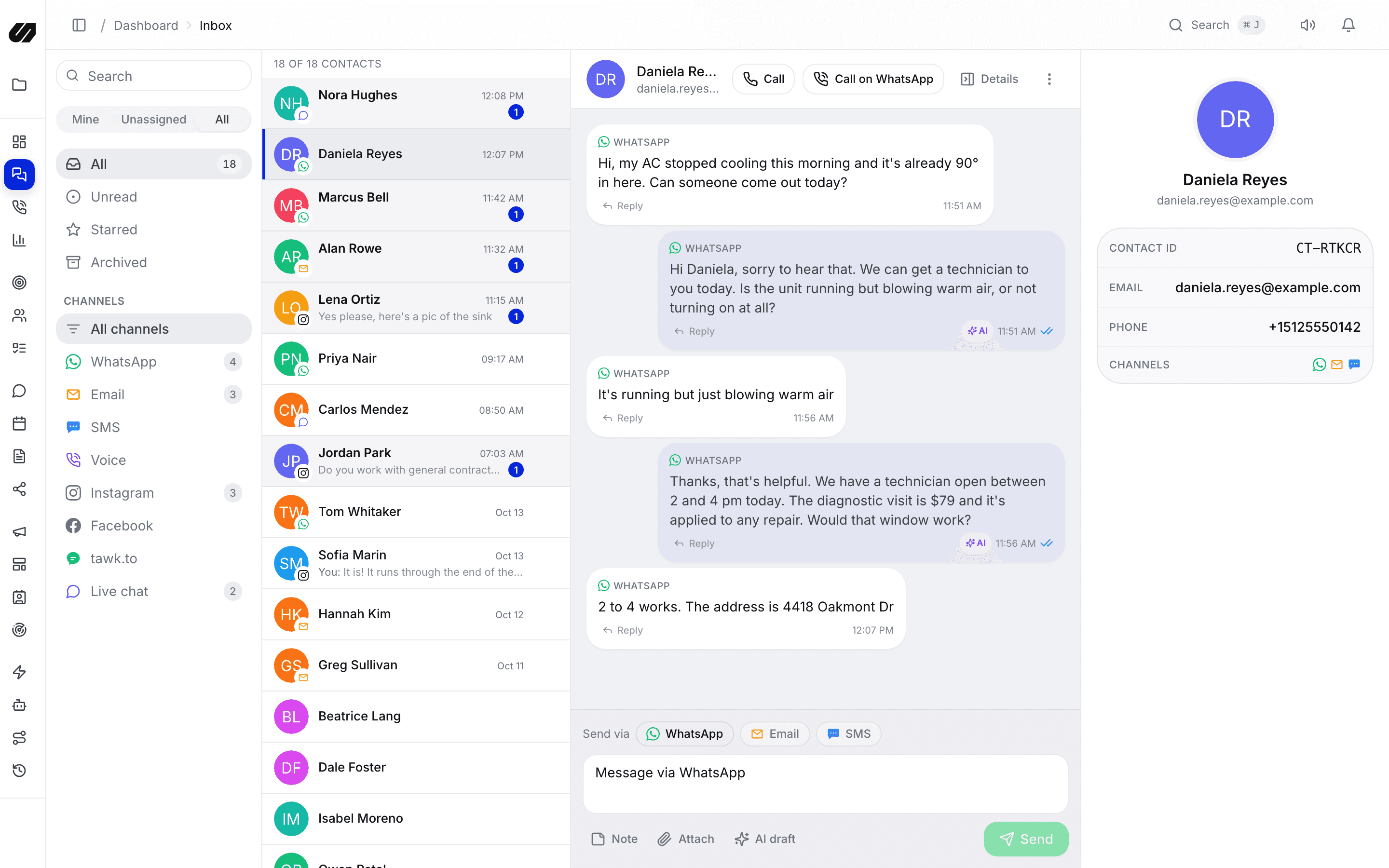
The SpeedIQ inbox with a WhatsApp conversation, AI replies and the contact panel

Capture, converse and convert

Capture

Fill the pipeline from forms, booking pages, ads, social and the map, without exports or copy-paste.

Converse

Answer every channel from one inbox, with the AI handling the first reply.

Convert

Work every deal, automate the follow-up and see what is working.

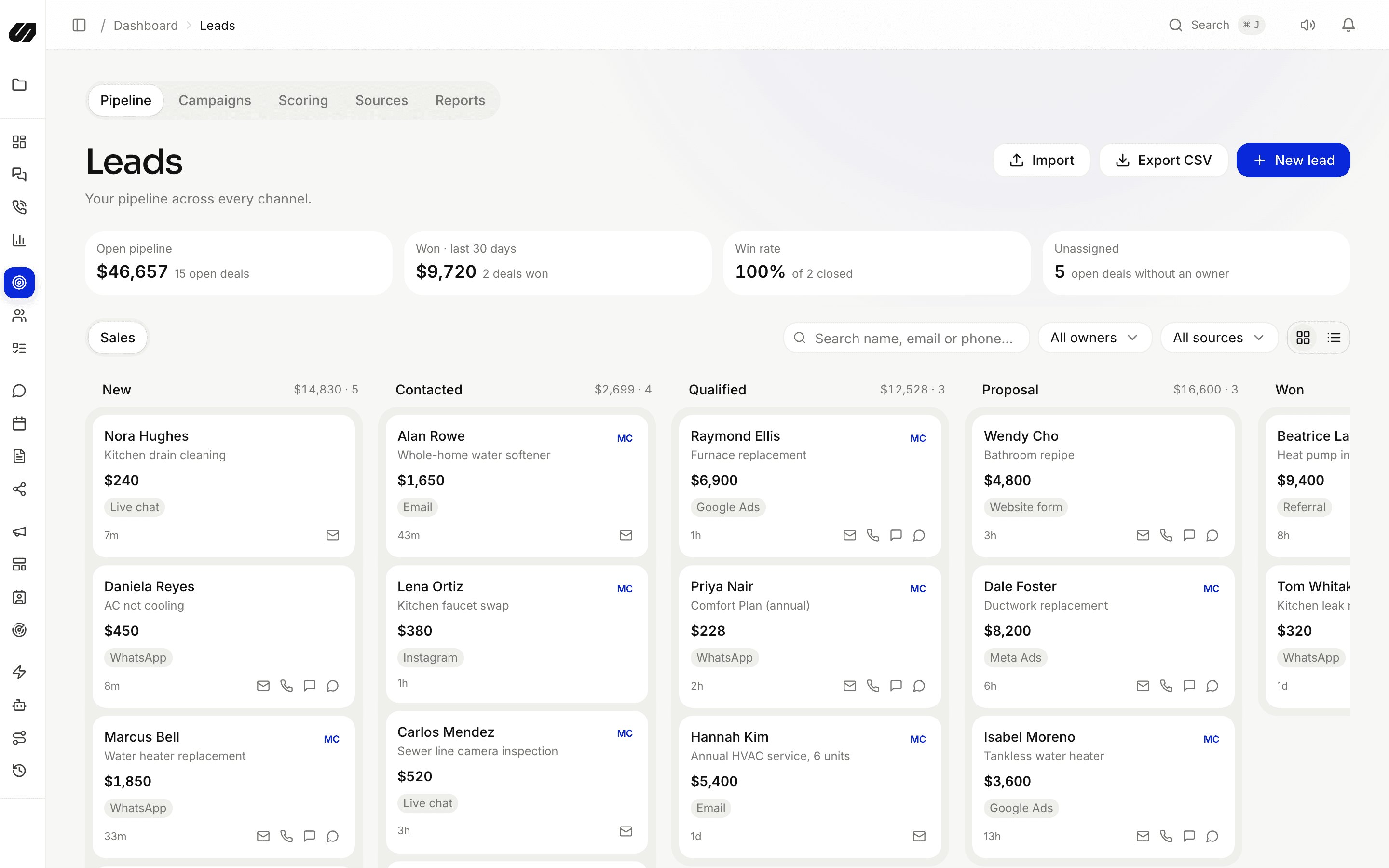
Pipeline stages with deal values and lead sources

One workspace for the whole conversation, from first message to signed deal.

Inbox & live chat

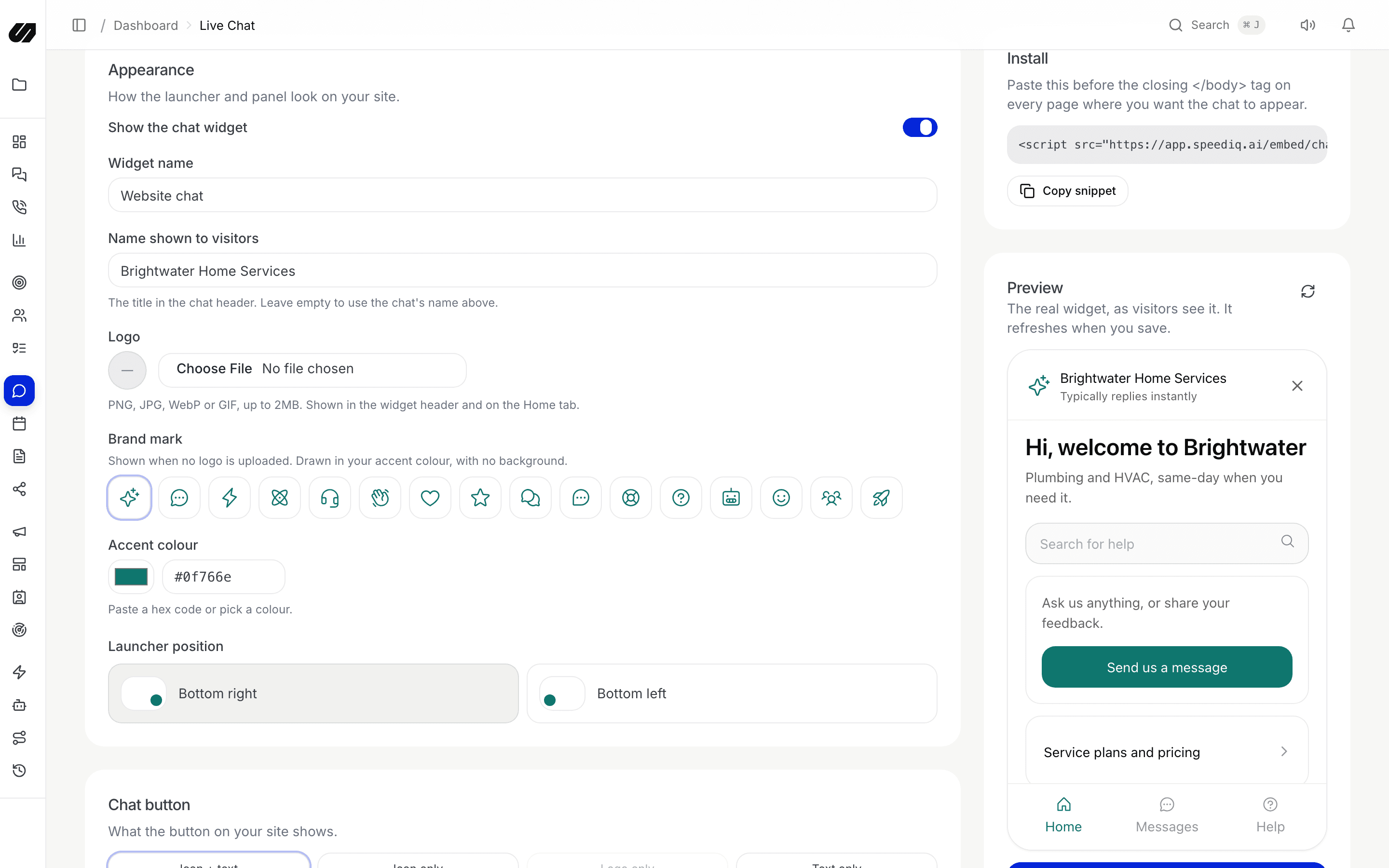
Messages from every channel the same person uses collapse into one timeline, with assignment, private notes and canned replies. Add the chat widget to your site with one script tag and visitors land in the same queue.

  • Assignment
  • Private notes
  • Live chat widget
  • Calls & bookings
Live chat widget set-up with a branded preview of the widget

AI assistant

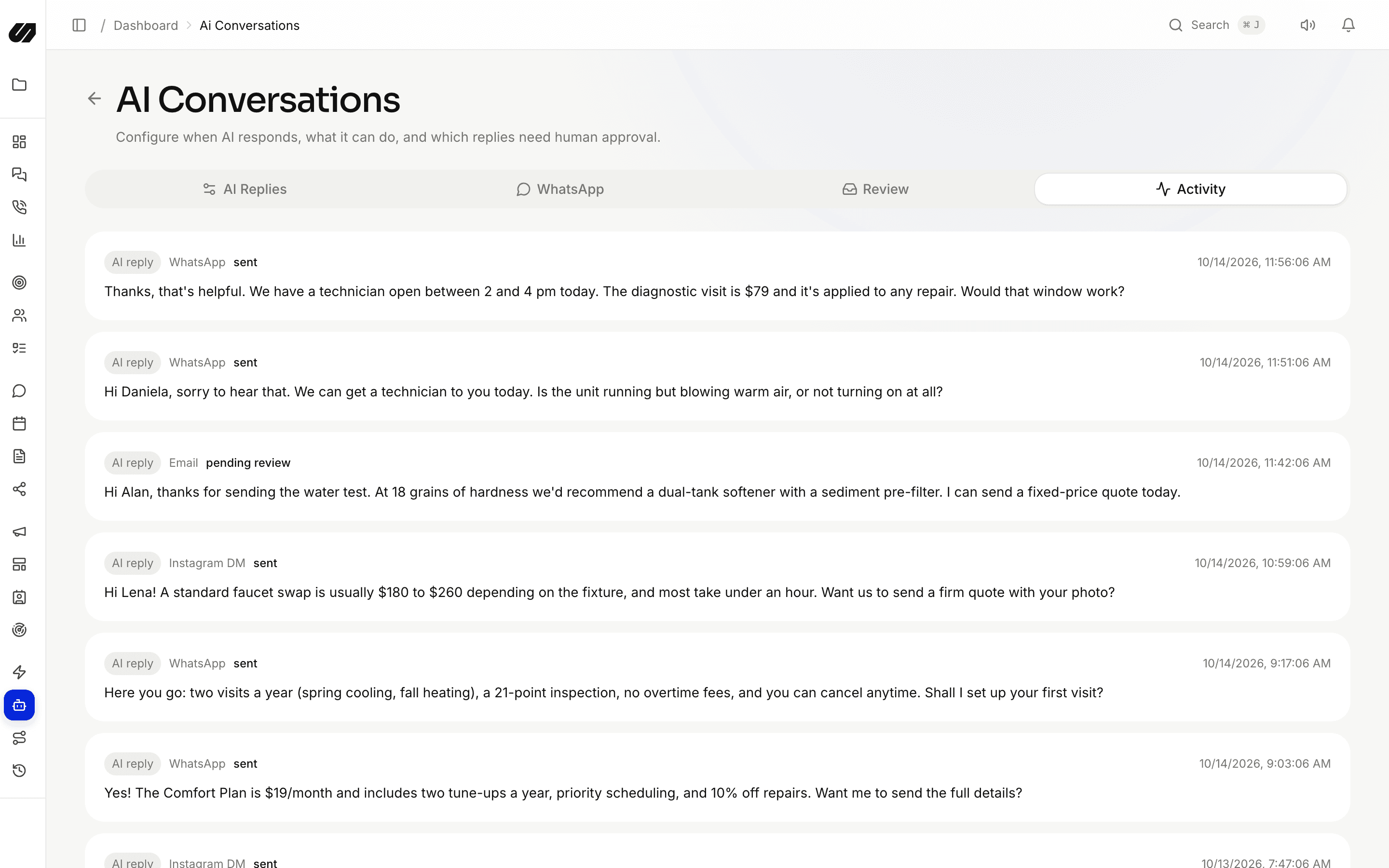
Give the assistant a personality and your knowledge base. On website chat, WhatsApp and social DMs it greets people by name, answers questions, captures details, books an open slot and hands off to your team when a human should take over.

  • Auto-send or review
  • Office hours & caps
  • Books appointments
  • Every action logged
AI Conversations showing assistant replies sent and one waiting for review

CRM & pipelines

Leads are created from chats, forms, bookings, ads and the map, then move through drag-and-drop pipelines with scoring, source attribution, tasks and custom fields. One record per person, every channel merged.

  • Drag-and-drop stages
  • Lead scoring
  • Source attribution
  • Tasks & notes
A sales pipeline board with leads grouped by stage and deal value

Workflows

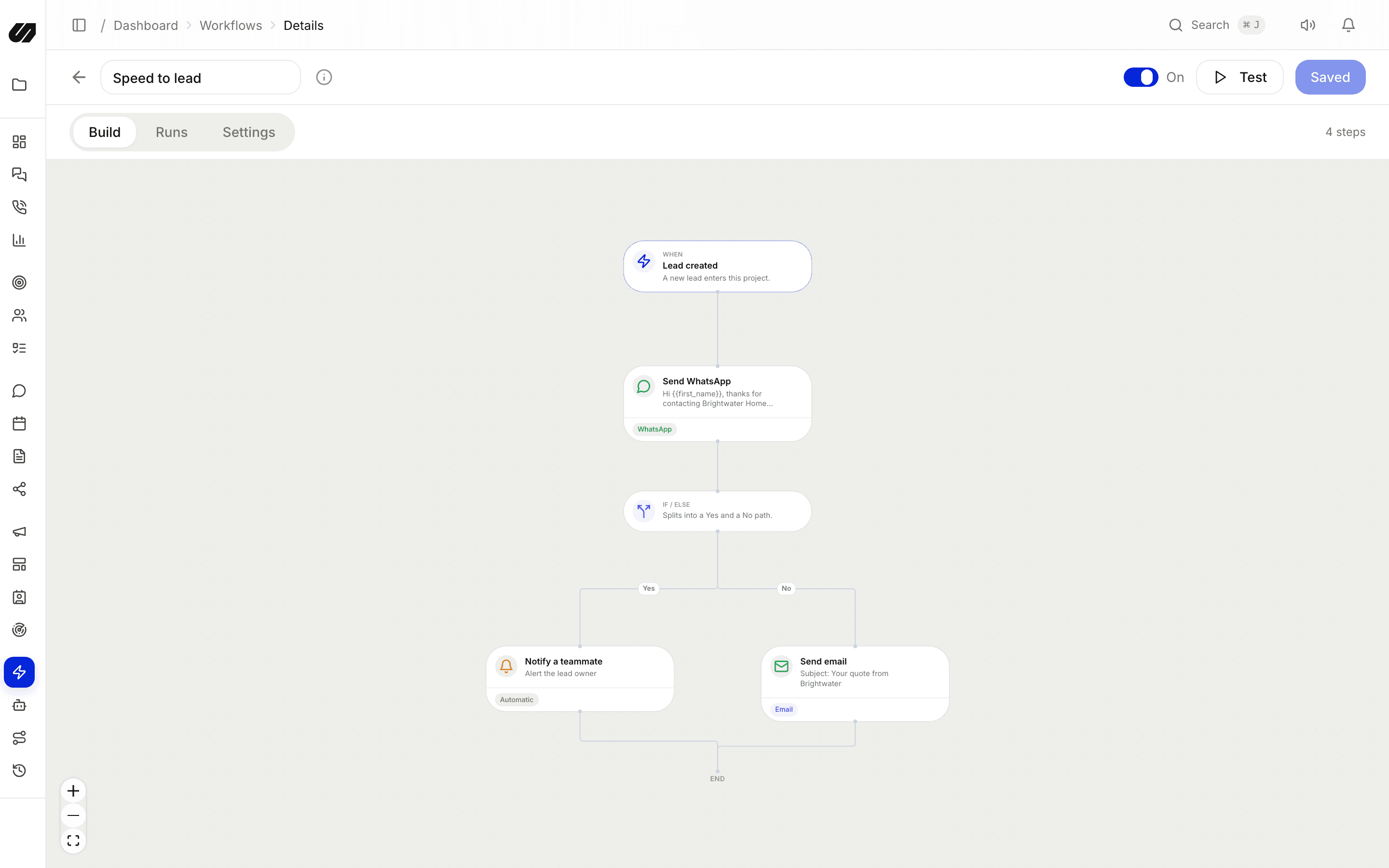
A visual, no-code builder: trigger on a new lead, a message, a stage change or a booking, branch on any field, then assign, tag, message, create a task, call a webhook or run AI. Sequences space the follow-up out and stop when the person replies.

  • Triggers
  • If / else branches
  • Lead routing
  • Run history
The visual workflow builder with a trigger, a WhatsApp message and a yes/no branch

Add everyone. Keep control.

Roles, privacy and workspaces that let a growing team work from one place without exposing customer data or paying by the head.

No per-seat fees

Invite the whole team within your plan's member limit. You pay for the plan and credits, not heads.

Pricing

Masked agent role

Reps work leads while phone numbers and emails stay hidden, enforced at the database level.

Privacy

Projects as workspaces

Separate brands or clients, each with its own channels, team, settings and billing.

Workspaces

English & Arabic

A full right-to-left interface for Arabic-speaking teams, switchable per user.

Language

Work smarter by keeping everything in one place

AI assistantWhatsAppEmailInstagramWebsite chatFacebookSMS

Up and running in an afternoon. No engineers needed.

See the product
  1. 01

    Connect your channels

    WhatsApp through Meta's embedded signup, Instagram and Facebook, your email domain, an SMS number, and the chat widget on your site.

  2. 02

    Bring in your leads

    Import a CSV, publish a form or booking page, sync your ad accounts, or scan the map. Every lead lands in one CRM.

  3. 03

    Automate the follow-up

    Route new leads, let the AI answer first, run sequences, and watch delivery and revenue in one place.

Questions, answered.

Which channels does SpeedIQ support?

WhatsApp (official Business Platform), Instagram and Facebook DMs, comments and lead ads, Google Ads lead forms, website live chat, email, SMS and voice calls, including WhatsApp calling.

What does the AI assistant actually do?

It answers visitors and customers from your knowledge base and instructions on website chat, WhatsApp and social DMs, captures their details, books appointments against your real availability, and hands the conversation to your team when needed. Every action is logged.

Do I pay per user?

No. Plans have a fixed monthly price with a member limit, and no per-seat charges. Usage is covered by credit buckets for email, AI, SMS and voice. WhatsApp and social DMs do not use credits.

Can I replace my CRM with SpeedIQ?

For most messaging-led teams, yes. Contacts, pipelines, lead scoring, tasks, custom fields, routing and a cross-channel timeline are built in, and webhooks and CSV import bring data from anywhere else.

How long does setup take?

Connecting a channel takes minutes. WhatsApp uses Meta's embedded signup, email needs a DNS record for your domain, and the chat widget is one script tag.

Bring every conversation into one place.

Connect your channels, import your contacts and let the AI handle the first reply. No per-seat fees.