Unified inbox

Every conversation, one inbox.

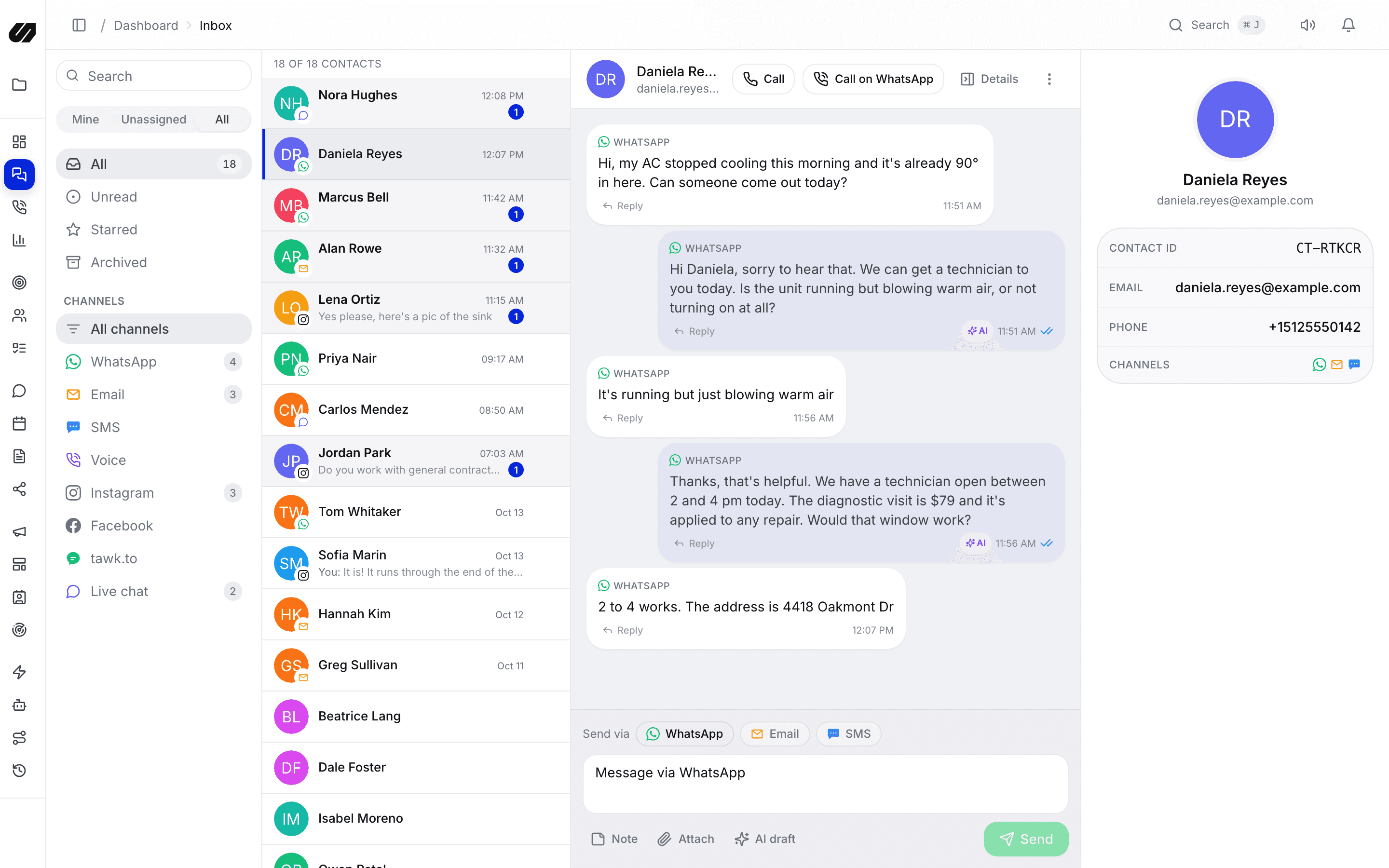
WhatsApp, Instagram, Facebook, website chat, email, SMS and calls land in a single shared inbox. One thread per customer, with assignment, notes and the full cross-channel history beside every reply.

  • One thread per customer across every channel
  • Assign, note and resolve without leaving the conversation
  • Website live chat with an AI assistant that hands off to your team
The SpeedIQ unified inbox with conversations from several channels

What's included

Built so context never gets lost.

Everything a busy team needs to answer fast and stay on the same page, in one queue.

One thread per contact

Messages from every channel the same person uses collapse into one timeline. Calls and bookings show up there too.

Assignment & ownership

Route conversations to the right teammate, see who owns what, and never leave a thread unanswered.

Private notes & mentions

Leave internal notes and @mention colleagues inside a thread. Customers never see them.

Website live chat

Add one script tag to your site. Visitors chat in a branded widget, with conversation starters, office hours and a help tab.

AI assistant in the chat

The assistant greets visitors by name, answers from your knowledge base, captures details, books appointments and hands off to a human when needed.

Canned replies, tags & filters

Answer common questions in one click, label conversations and filter the queue by channel, status or owner.

Live chat

A chat widget that does real work

Drop the SpeedIQ widget on any site. Visitors get a fast, branded chat with starters, your office hours and a help centre tab. Behind it, your team answers from the same inbox as WhatsApp and email, and every chat becomes a lead in the CRM.

  • Several chats per project, each with its own opening tab and branding
  • Require visitor details first, or let them start chatting
  • Shared link for the chat, so it also works outside your website
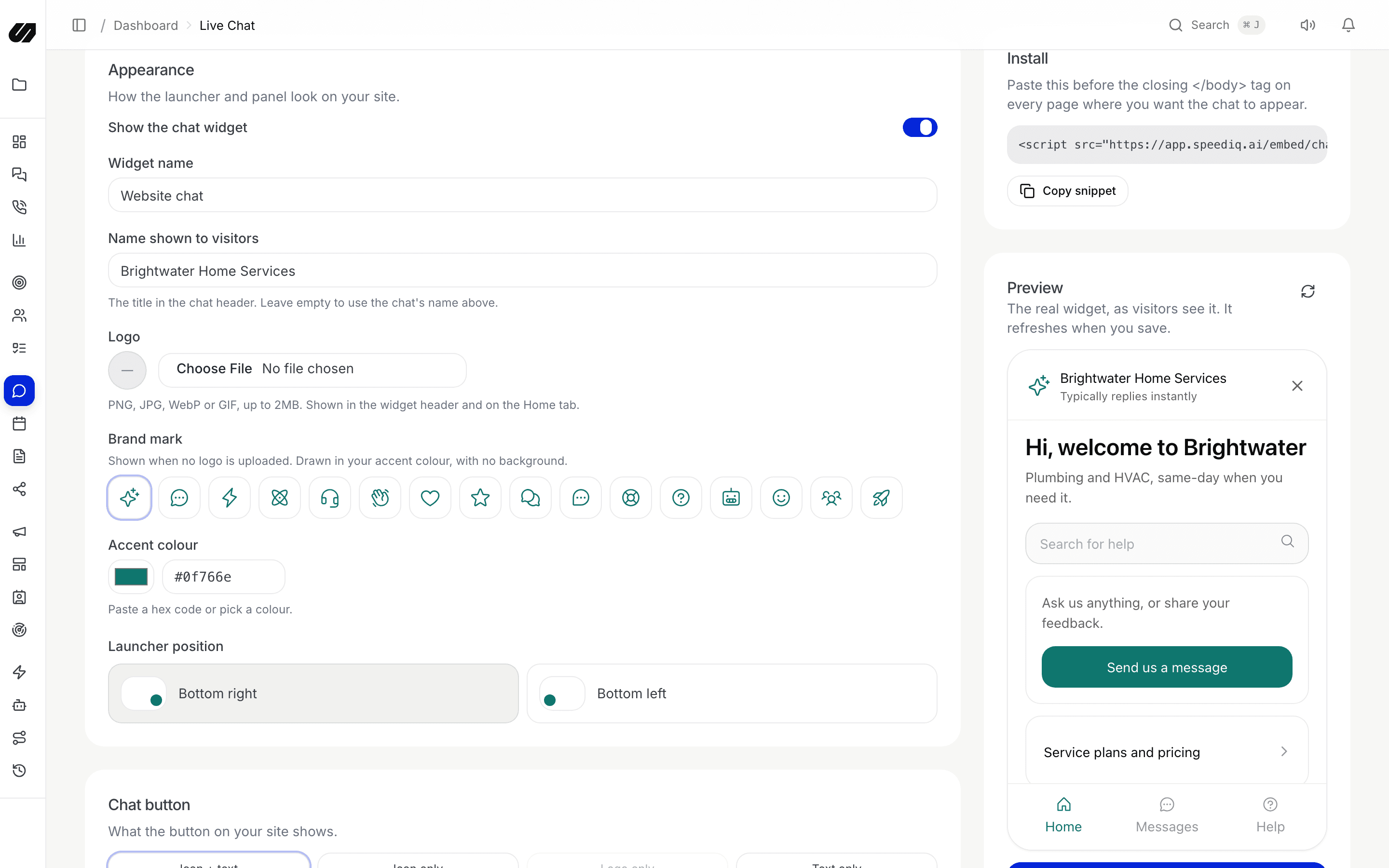
The live chat widget set-up screen with the branded widget preview

AI assistant

Answers, bookings and hand-offs, automatically.

Give the assistant a personality and your knowledge base. It streams replies, offers tappable options only when the visitor needs to choose, saves the name and details it is given, books an open slot in one step and calls your team when a human should take over.

  • Grounded in your knowledge base and custom instructions
  • Books appointments against your real availability
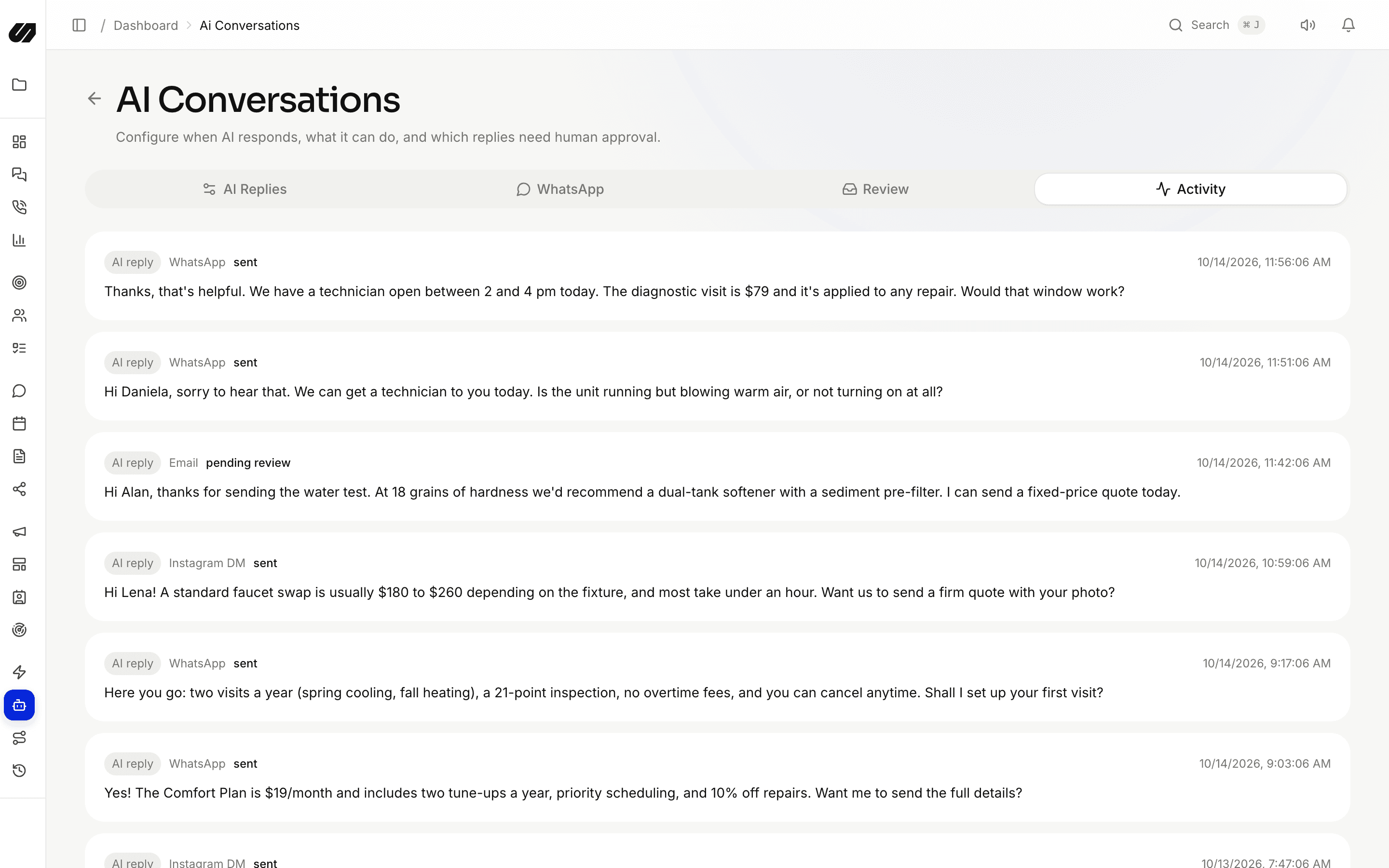
  • Every AI action is logged for review under AI Conversations
AI Conversations showing replies the assistant drafted and sent

Context

Reply with the whole story on screen

The lead record, previous conversations on other channels, notes, tasks, bookings and call history sit beside the thread. Nobody has to ask the customer to repeat themselves.

Unified inbox & live chat, answered.

How do messages from different channels stay together?

When the same person reaches you on WhatsApp, email, SMS, website chat or a connected social account, SpeedIQ merges the identities into one contact and one timeline. Calls and bookings appear there too.

How do I add live chat to my website?

Create a chat in Live Chat, pick its branding and opening tab, and paste one script tag into your site. The widget also has a shareable link for use outside your website.

What can the AI assistant do in the chat?

It answers from your knowledge base and instructions, greets visitors by the name they give, captures contact details, books an available slot and hands the conversation to your team when asked or when it cannot help.

Are internal notes visible to customers?

Never. Notes and @mentions stay private to your team, inside the thread.

Bring every conversation into one place.

Connect your channels, import your contacts and let the AI handle the first reply. No per-seat fees.