Contacts
One record per person
Every WhatsApp chat, email, SMS, DM, call and booking from the same person merges into a single contact with the full cross-channel timeline. No more four half-records for one customer.
Lead
CRM & pipeline
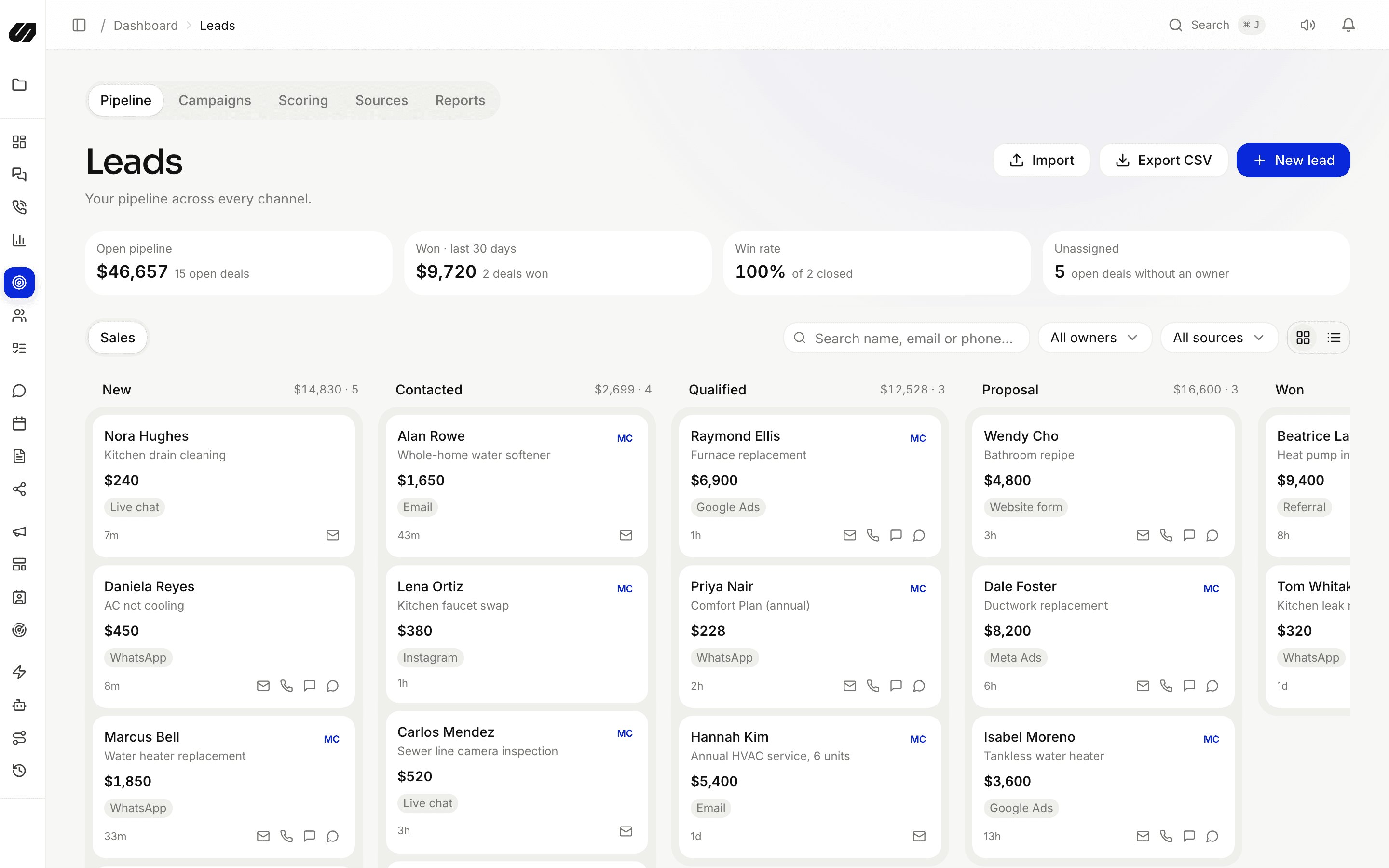
Contacts merge every channel into one record. Leads move through drag-and-drop pipelines with scoring, source attribution, tasks and custom fields, and the whole cross-channel timeline sits beside each one.
What's included
Contacts, pipelines, scoring and tasks that plug straight into your inbox, campaigns and automations.
WhatsApp, email, SMS and social identities merge into one record, so history never scatters across channels.
Model any sales process as drag-and-drop stages, run more than one pipeline and track won and lost with values.
Rules add points for source, tags, stage, value, custom fields or inactivity. Sort and filter by the 0–100 score.
See exactly where each lead came from, forms, ads, social, prospecting or an inbound message, and what it produced.
Attach follow-ups with due dates to any lead, so nothing slips between a first reply and a closed deal.
Shape records to your business, then segment and automate on top of them.
Contacts
Every WhatsApp chat, email, SMS, DM, call and booking from the same person merges into a single contact with the full cross-channel timeline. No more four half-records for one customer.
Pipelines
Build stages for your process and drag leads across them as deals progress. Run separate pipelines for separate motions, and track value, owner and score on every card.
Operations
Operations records keep service jobs, orders or cases attached to the contact, with printable documents, so the team that fulfils the work sees the same history as the team that sold it.
SpeedIQ links a person's phone, email and social identities into one contact as they reach you on different channels, and every conversation lands on that one timeline.
Yes. Create as many pipelines as your business needs, each with its own stages, and move leads with drag-and-drop while tracking value, owner and score.
From rules you set. Each rule adds points when a lead matches it, for example its source, tags, stage, deal value, a custom field or hours since last activity.
Completely. Contacts and leads are the same records your inbox, campaigns, sequences and workflows act on, so a stage change or a new lead can trigger a message or a task instantly.
Connect your channels, import your contacts and let the AI handle the first reply. No per-seat fees.