Templates
Send approved templates at scale
Build template messages with headers, media and quick-reply buttons, submit them to Meta and reuse them in campaigns and automations. Approval status is tracked in-app so you always know what you can send.
WhatsApp Business
Connect your number through the official WhatsApp Business Platform, send approved templates at scale, chat inside the 24-hour window, take calls, and let the AI agent handle the first reply.
What's included
From the first template to the thousandth broadcast, with the rules of the platform respected for you.
Connect through Meta's embedded signup with a verified sender profile. Your account, your number.
Create templates with media, variables and buttons, submit them for approval and track status in the app.
Send templates to an audience, schedule the send and watch sent, delivered and read states per recipient.
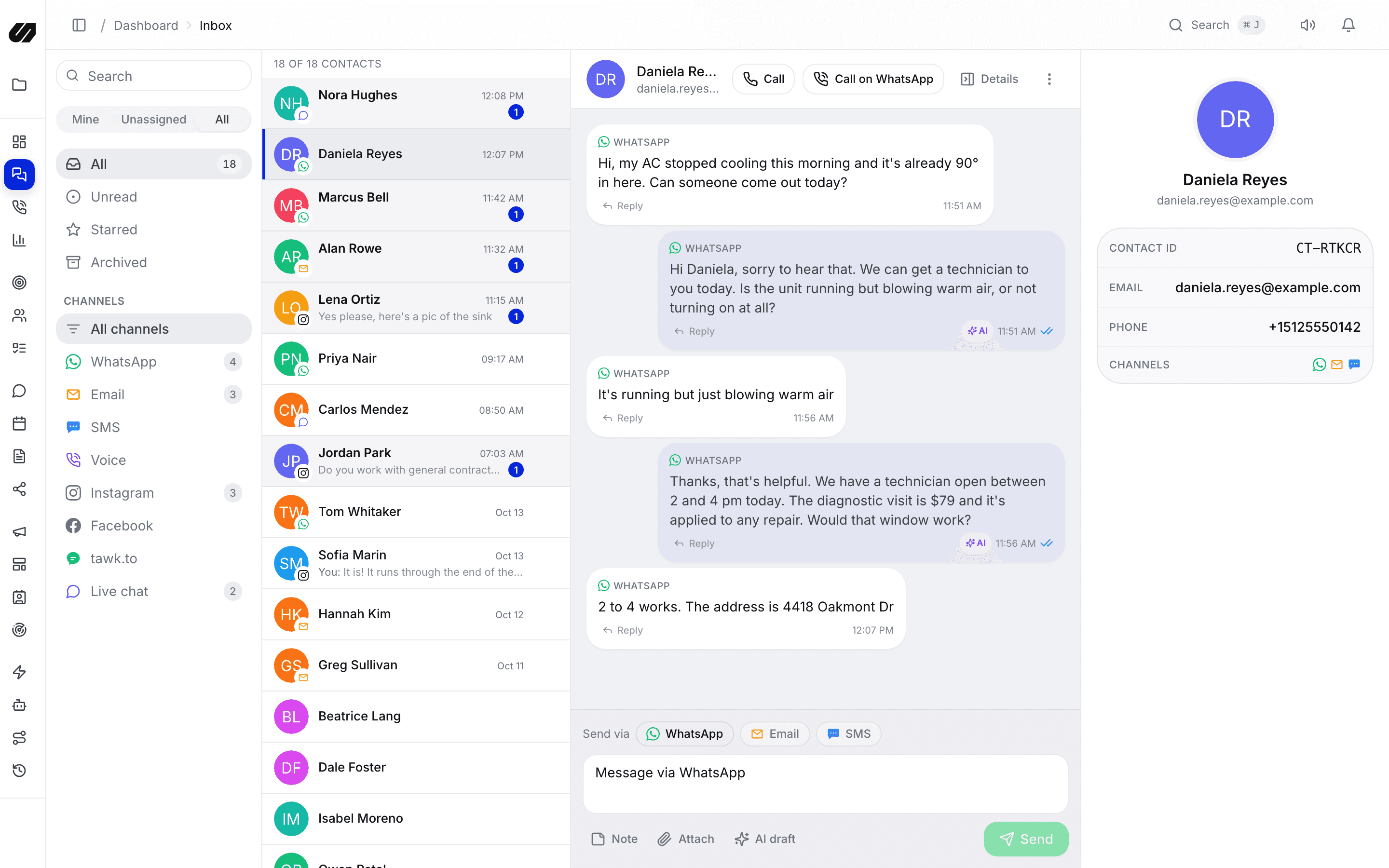
Each conversation shows whether you can reply freely or need a template, so nothing bounces.
Place and answer voice calls on your business number, with calls logged on the contact timeline.
Let the AI answer inside the window, qualify the lead, book a slot and hand off to your team with guardrails you set.
Templates
Build template messages with headers, media and quick-reply buttons, submit them to Meta and reuse them in campaigns and automations. Approval status is tracked in-app so you always know what you can send.
Conversations
Inbound messages land in the shared inbox beside the customer's email and social history. Automations and the AI agent answer common questions inside the window and route anything that needs a person to an agent.

Billing
SpeedIQ does not deduct credits for WhatsApp sends. Meta's conversation charges stay on your connected Meta account, and the 24-hour window and template rules apply as usual.
Yes. SpeedIQ connects your number through Meta's embedded signup on the official WhatsApp Business Platform, with a verified sender profile.
Create templates in-app and submit them for approval. Their status is tracked in SpeedIQ, so you always know which templates you can send.
Outside a 24-hour customer-service window you can only send approved templates. SpeedIQ shows each conversation's state so your team and automations stay inside the rules.
SpeedIQ does not deduct credits for WhatsApp. Meta's charges are billed to your connected Meta account.
Yes, once calling is enabled on your WhatsApp Business number. Calls appear on the contact timeline, and you can switch on recording or an AI voice agent per project.
Connect your channels, import your contacts and let the AI handle the first reply. No per-seat fees.